
Category: Brachytherapy
Author’s Name: Nathan Childress
Homepage: www.marcova.com
Published: Jun 15, 2006
Word file with instructions for dosimetrists to perform very basic T+O drawing and digitize points and sources into Pinnacle 7.4.

Category: Brachytherapy
Author’s Name: Richard Benson
Published: Apr 17, 2009
Dose estimation from one organ to another.
This MS EXCEL spreadsheet uses the S-factor formalism to estimate the dose from one organ to another arising from any one of 3 user selected radioisotopes in a specified quantity. This is the Medical Internal Radiation Dose as described in Cherry, Sorenson and Phelps book Physics in Nuclear Medicine.

Category: Brachytherapy
Author’s Name: Ernest Butler
Published: May 26, 2010
An automated excel spreadsheet hand calculation for MammoSite.
This program was designed for MammoSite being treated with a Nucletron afterloader using a V-2 microselectron source. The strength page will need to be updated with daily decay tables for your own source. The program assumes that odd number treatments are done in the morning and even number treatments are done in the afternoon.

Category: Brachytherapy
Author’s Name: Ernest Butler
Published: May 28, 2010
This excel spreadsheet will handle a typical Iridium HDR brachytherapy source calibration.

Category: Brachytherapy
Author’s Name: Nathan Childress
Homepage: www.macorva.com
Published: Jun 15, 2006
Ir-192 decay table showing activity for 123 days past the calibration date.
Category: Brachytherapy
Author’s Name: Dayan Loria
Homepage: https://www.science20.com/medical_physics_notes
Published: Thu Aug 20, 2009
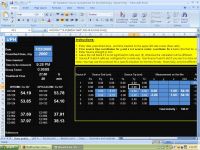
To independently check your TPS calculation with Isotope Products Laboratories (IPL) Cs-137 sources. Reference used and instructions for use are available upon request.
Warning: The absolute dose rate table for IPL source is different from 3M source.
Category: Brachytherapy
Author’s Name: Rajasekar, David,
Published: Nov 29, 2011 | Updated: Nov 30, 2011
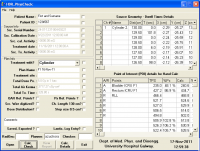
This is a comprehensive physics check tool for Brachytherapy plans adopted in our department. This tool can be used for independent calculation of all the POIs and Physics check of the plan from BrachyVision output text files.
Category: Brachytherapy
Author’s Name: Nathan Childress
Homepage: www.marcova.com
Published: Jun 12, 2006
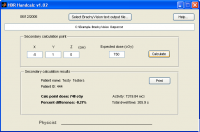
HDR automatic secondary calculation program
This program automatically reads a text file with HDR dwell positions and calculates the dose to a user-specified point. It currently only reads Varian BrachyVision text files, but if I receive examples of other systems’ output I can incorporate them. It generates an Excel sheet with the dose comparison data for the user to print and sign. The total time for one handcalc is less than 30 seconds using this program.
To use HDR HandCalc with BrachyVision 10:
You have to edit the forms.dat file on the BrachyVision computer.
The path is found by looking in brachy under Help and about and system info. Look until you find the title that says: “Directories and Paths” then look under “report template directory” This is the path to forms.dat. Then you can edit forms.dat with notepad and remove the “#†from the last 4 lines that have the “#†in front of it.
You must download this 100 MB MATLAB standalone program, otherwise the program will not be able to run successfully.

Category: Brachytherapy
Author’s Name: Thomas Wagner
Published: Jun 22, 2006 7:34
Spreadsheet to calculate doserates near Cs137 tube sources based on away-and-along doserate lookup tables.
Spreadsheet to calculate doserates near Cs137 tube sources based on away-and-along doserate lookup tables. Enter values into yellow-colored cells (xyz (cm) coordinates of source tip and ends, mgRaeq for each source, and xyz coordinates of up to 6 dose points). If desired, enter computed doserates from your planning system for comparison to these values.
Category: Brachytherapy
Author’s Name: Emma Viviers,
Published: Jul 17, 2006
Pick an isotope and a date and this spreadsheet will do the rest..
Includes most popular isotopes in radiotherapy, with space to include your own. (137Cs, 60Co, 198Au, 125I, 131I, 192Ir, 103Pd, 32P, 153Sm, 90Sr, 90Y)
This excel spreadsheet is very basic but makes life easy (which lets face it, that’s what it’s all about).
It shows decays for 137Cs, 60Co, 198Au, 125I, 131I, 192Ir, 103Pd, 32P, 153Sm, 90Sr, 90Y
All you need to do is pick your isotope and enter the calibration date and activity. This sheet then calculates your activity today, at daily intervals from calibration, at any date of your choice and at 5&10 half lives (for disposal considerations).
There is plenty of space available to add any additional isotopes that you use frequently, although you’ll have to look up the half lives for these first.